Question 404:
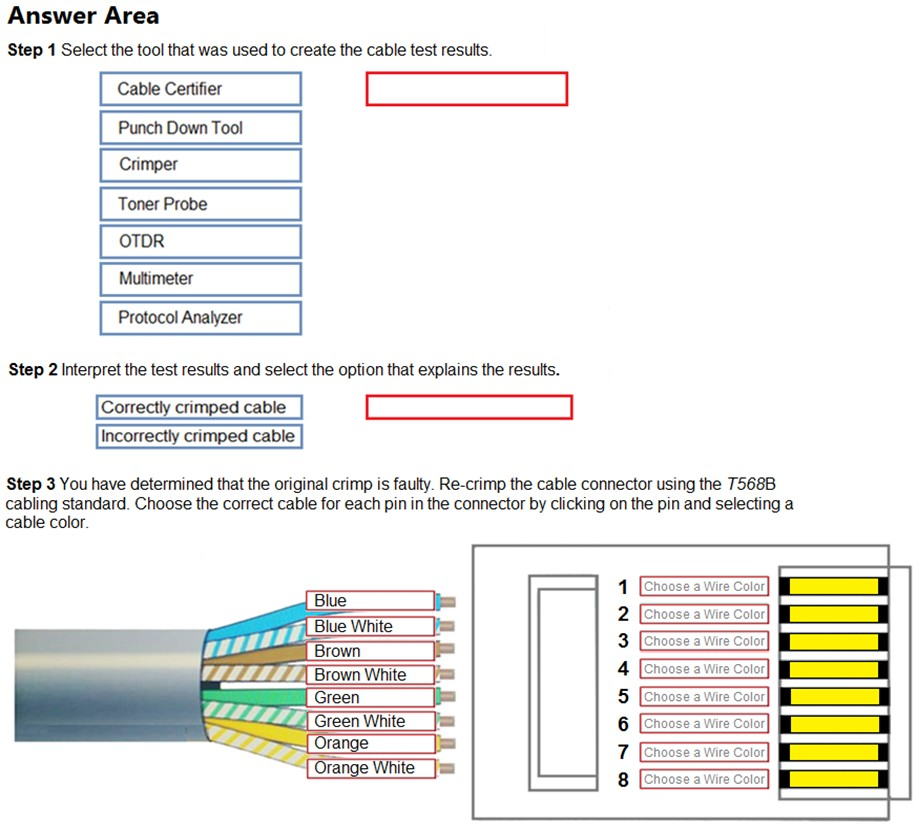
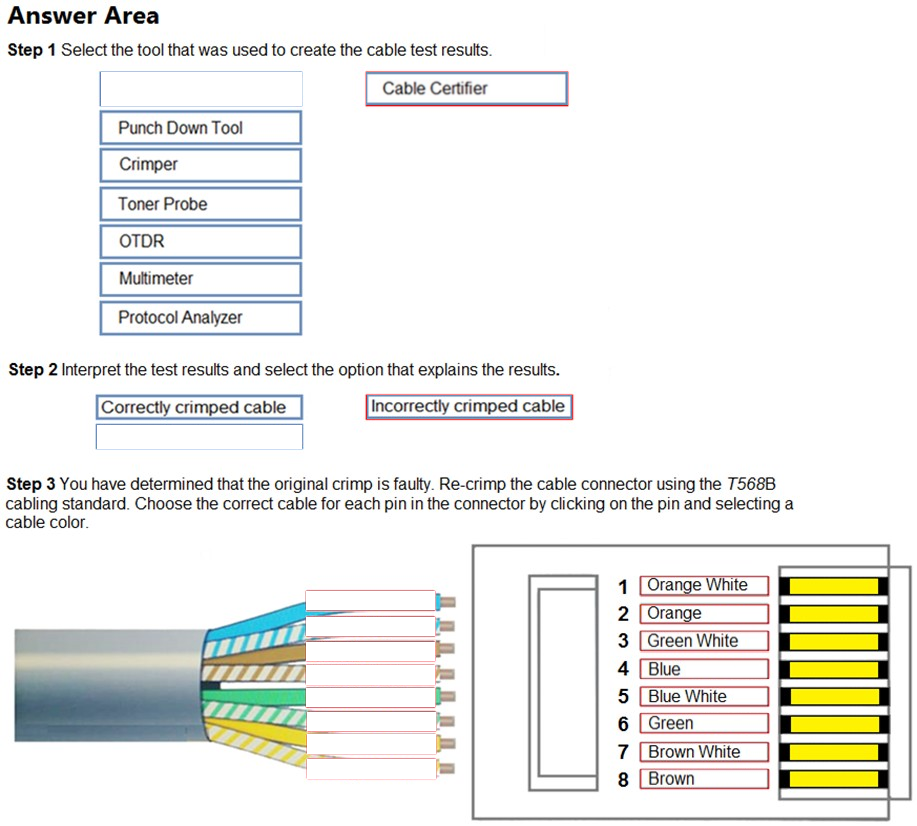
DRAG DROP - You have been tasked with testing a CAT5e cable. A summary of the test results can be found on the screen.
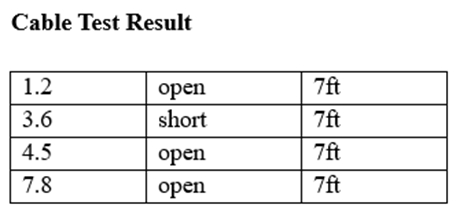
Instructions - Step 1: Select the tool that was used to create the cable test results. Step 2: Interpret the test results and select the option that explains the results. After you are done with your analysis, click the ˜Submit` button. Step 3: You have determined that the original crimp is faulty. Re-crimp the cable connector using the T568B cabling standard. Choose the correct cable for each pin in the connector by clicking on the pin and selecting a cable color. If at any time you would like to bring back the initial state of the simulation, please click the Reset All button. Select and Place: